

Claude Can Build Your App. But Should It? What founders need to know before going all-in on Claude Design, Claude Cowork, and Claude Code
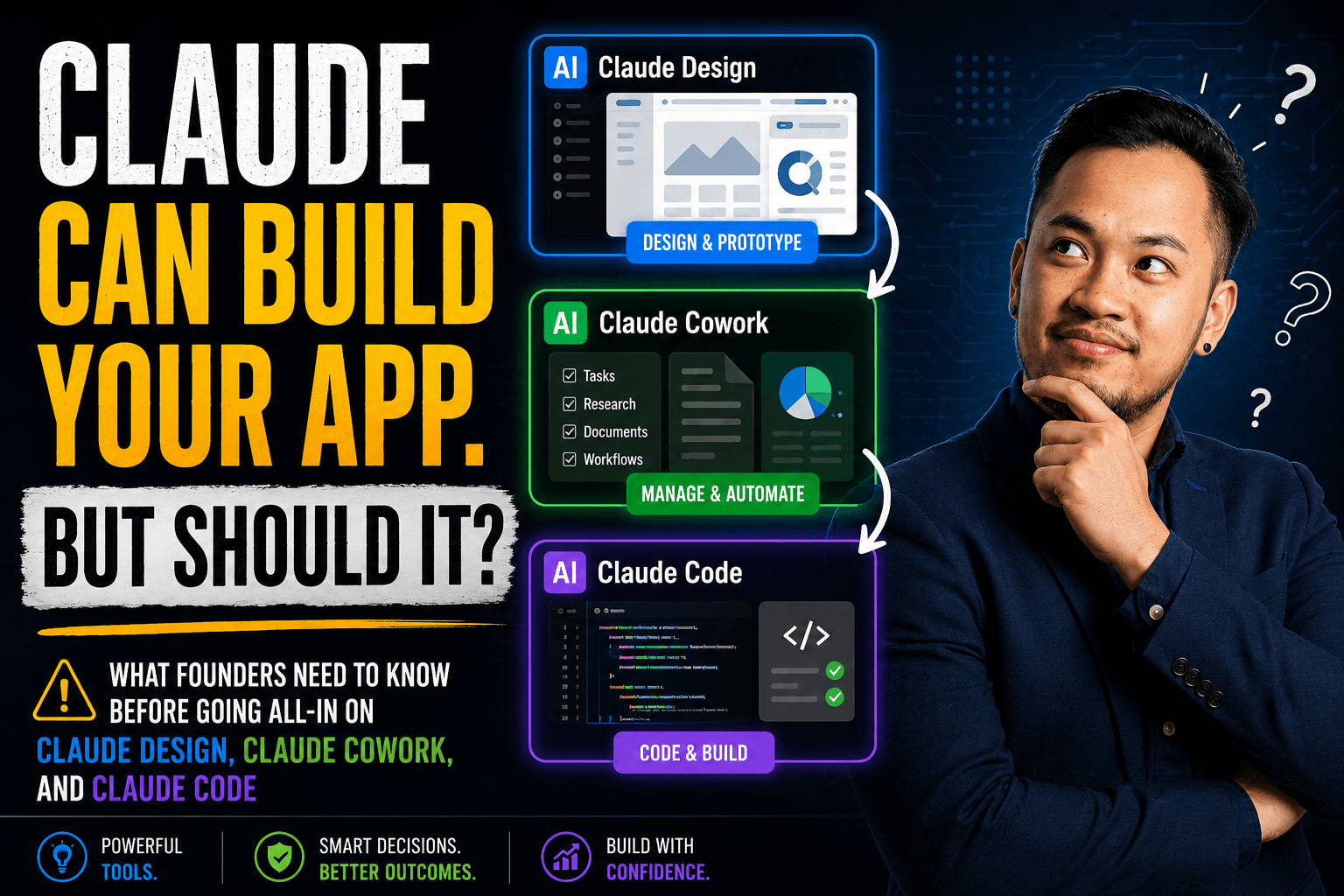
Something genuinely remarkable has happened in the last year. A non-technical founder can now describe an app idea to Claude Design, watch it generate a working prototype in minutes, refine it through conversation, and hand it off to Claude Code to turn into real software — without writing a single line of code themselves.
That's not marketing copy. It's what these tools actually do.
So why are we writing this post? Because the gap between "Claude built me a working prototype" and "I have a production-ready product my customers can depend on" is wider than most people realise. And the cost of discovering that gap after you've shipped to users — or raised funding — is high.
This is an honest look at what Claude's tools are genuinely good for, where they fall short, and how to know when a conversation with a development team is still the right next step.
What These Tools Actually Do
Before the pitfalls, it's worth understanding what each tool is designed for — because they're distinct.
Claude Design (launched April 2026, Anthropic Labs) is a collaborative visual creation tool. You describe what you need, and Claude generates designs, prototypes, wireframes, slide decks, landing pages, and interactive mockups. You refine through conversation — inline comments, direct edits, adjustment sliders — until it looks right. It can read your codebase and apply your design system automatically. Finished designs export to Canva, PDF, PPTX, or HTML, and can be handed off to Claude Code via a structured bundle.
Claude Code is a terminal-based AI coding agent for developers. It can write, edit, and debug code across a full codebase — not just individual files. It's genuinely powerful in the hands of someone who understands the code it's producing. Used well, it significantly accelerates development. Used without oversight, it produces code that looks correct but contains subtle errors, security gaps, or architectural decisions that will be painful to undo.
Claude Cowork is a desktop tool designed for non-developers. It handles file and task management, document creation, research, and workflow automation — things that previously required either technical skill or significant administrative effort. It's the right tool for a large class of business tasks that aren't development.
The important thing to notice: Claude Design and Claude Cowork are genuinely designed for non-technical users. Claude Code is designed to assist developers — not replace the need for one.
The Real Benefits
Used appropriately, this stack unlocks things that weren't possible twelve months ago.
Founders can validate before they invest. Claude Design lets you create a realistic, interactive prototype — something that looks and behaves like a real product — and put it in front of users within hours. You can test an idea, gather feedback, and decide whether it's worth building before spending anything on development. That's a meaningful change.
The design-to-development handoff improves. When a Claude Design prototype gets handed off to Claude Code with a structured bundle, the developer (or AI) on the receiving end has much more context than a static mockup provides. Spacing, colours, interaction states, component logic — it's all there. This compresses the time between "approved design" and "first working build."
Non-technical teams can do more without developers. Content, documents, automated workflows, internal tools, pitch decks — Claude Cowork handles a large portion of what used to require either a developer or an expensive specialist tool. This is genuinely valuable and shouldn't be underestimated.
Exploration becomes cheaper. Designers using Claude Design report being able to explore ten directions in the time it previously took to explore two. That's not just faster — it's qualitatively different. Better decisions get made when there's room to experiment.
The Pitfalls That Catch People Off Guard
1. The prototype looks like the product, but it isn't one
Claude Design is excellent at producing things that look like working software. That's also the risk. A beautiful, interactive prototype is not a production codebase. It has no backend. It doesn't handle real authentication, data storage, payments, error states, or concurrent users. It will fall over the moment anyone tries to actually use it at scale.
The confusion happens because the prototype is so convincing. Founders show it to investors, customers give feedback on it, and everyone starts treating it as if the hard work is done. It isn't. The hard work is everything that needs to happen before real users depend on it.
2. Claude Code can write bad code confidently
Claude Code is capable of producing code that passes a quick glance but contains real problems: security vulnerabilities, inefficient database queries, logic errors that only surface under specific conditions, or architectural patterns that will make the codebase harder to maintain as it grows. It doesn't always flag these issues. It doesn't always know they exist.
A developer using Claude Code as a tool — reading its output, testing it, understanding the trade-offs — will catch most of these. A non-developer using Claude Code as an oracle — accepting whatever it produces because it compiled and ran — will accumulate problems that become expensive to fix.
3. Security doesn't happen automatically
Authentication, authorisation, data encryption, GDPR compliance, input validation, rate limiting — none of this is a given, even when AI tools help build the product. Claude Design focuses on visual output. Claude Code focuses on making code that runs. Neither automatically audits the security of what they produce.
If your app handles customer data, payments, or anything regulated, someone with security expertise needs to review what was built. The cost of a data breach or a compliance violation is orders of magnitude higher than the cost of doing it right the first time.
4. The iteration trap
One of Claude Design's best features is how easy it makes changing things. Adjust the layout, swap the colour palette, restructure the flow — describe it and it's done in seconds. For exploration, this is excellent. For product development, it creates a specific risk: scope that never stops growing.
Without clear requirements locked down before development begins, every "quick change" in the design phase translates into rework in the codebase. Founders who haven't done proper scoping — who don't have documented user flows, defined edge cases, and agreed feature sets — often discover this the hard way when a project that was supposed to take eight weeks is still running at week twenty.
5. "Claude built it" is not the same as "it was built well"
AI-generated code and designs still need someone to be accountable for them. If something breaks in production at 2am, Claude Code cannot be on call. If a customer reports that their data is wrong, Claude Design cannot investigate. If the codebase needs to be handed to a new developer, Claude Code's decisions need to be documented and understood.
The quality and maintainability of what gets built depends on the judgment applied to it — not just the tool used to produce it.
When Claude's Tools Are Genuinely the Right Choice
This isn't an argument against using these tools. They've made real things possible. The right question is where they fit.
Use Claude Design to validate before you build. If you want to know whether an idea is worth developing, a Claude Design prototype is the fastest, cheapest way to find out. Test it with users. Get feedback. Then decide whether to invest in a proper build.
Use Claude Cowork for internal operations. Documents, workflows, file management, task automation — this is exactly what Claude Cowork is designed for, and it's excellent at it.
Use Claude Code if you have developers who know how to use it. In the hands of an experienced developer, Claude Code is a genuine multiplier. It speeds up routine work and handles boilerplate so engineers can focus on the decisions that actually matter.
Stop before your customers depend on it. The threshold for needing expert involvement isn't arbitrary. It's when real users, real data, and real money enter the picture.
When You Still Need a Development Team
Some situations don't change just because AI tools have improved.
When users are paying you and depending on your product, the quality bar is different from a prototype. When you're handling personal data — especially for European users — GDPR requirements don't care how the code was generated. When you're raising funding, technical due diligence will look at the codebase, and AI-generated code without proper architecture and testing raises real concerns.
And when something breaks, you need a team that can fix it — not a tool that will try its best.
What changes is how that development team works. At ITGRATE, we use Claude Code ourselves. We're not slower than teams that don't — we're faster, because we understand what the AI is producing and how to direct it well. The value we bring isn't writing code; it's the judgment, architecture, and accountability that AI tools don't provide on their own.
A Claude Design prototype handed to our team tells us more about what a founder wants than a five-page requirements document. That's a real improvement. What we do with it — turning it into a maintainable, secure, scalable codebase — is still the part that requires human expertise.
The Practical Decision Framework
Before you start building, ask yourself three questions:
If this breaks in production, what happens? If the answer is "nothing serious," Claude's tools may be sufficient. If the answer involves lost revenue, customer data, or reputational damage, you need a development team involved.
Who maintains this in a year? If you can't answer that question clearly, you're building technical debt without a plan to repay it.
Are real users, real data, or real money involved? If yes to any of them, get proper help before you ship — not after something goes wrong.
Thinking about what to build next?
Talk to us
We offer a free scoping call for founders who've started with Claude's tools and want to understand what a production build would actually require — timeline, cost, and architecture. No commitment. We'll tell you honestly what needs to be built and what doesn't.